LinkedIn InMail Guide for Recruiters
- Anja Zojceska
- May 7, 2018
Recruiters’ guide to LinkedIn InMail
What is LinkedIn’s InMail?
How effective is LinkedIn InMail for recruiting?
How to write a great LinkedIn InMail?
1. Subject line
2. Content
3. Call to action (CTA)
How to optimizeyour LinkedIn InMail?
1. Personalize
2. Connect
3. Focus on candidates
4. KISS
5. Think outside the box
Applicant Tracking, Recruitment Marketing, Sourcing and Talent CRM software are powerful alone, but unstoppable when used together!
How can recruiters effectively reach out to potential candidates using LinkedIn InMail? In this guide, you will learn helpful tips for crafting messages that make a great impression and get quick responses from your candidates.
Recruiters’ guide to LinkedIn InMail
Many recruiters use LinkedIn InMail to find and hire the ideal job candidates .
Whether you're a LinkedIn beginner or already a pro at talent scouting , in this blog post will learn helpful tips for crafting messages that will make a great impression of your Employer Brand and get swift response s from your potential candidates.
What is LinkedIn’s InMail?
“ InMail ” is the LinkedIn’s messaging feature for people who aren’t first-degree connections.
This means that by using InMail, you can send messages to anyone on LinkedIn, even to people outside your network.
How effective is LinkedIn InMail for recruiting?
People are far more willing to respond to a LinkedIn InMail than just a traditional email.
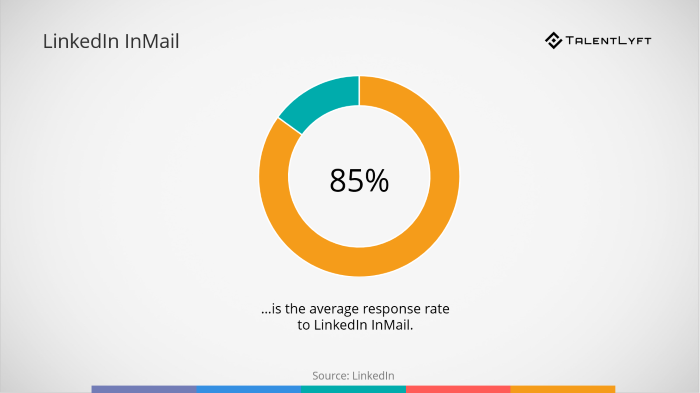
According to LinkedIn’s research, the average response rate to LinkedIn InMail is 85%, which is 3 times higher than a response rate to a traditional email.
How to write a great LinkedIn InMail?
A great LinkedIn InMail is the one candidates open, read and feel eager to reply.
Every part of your InMail message should be carefully crafted to engage a candidate.
This is especially important if you want to write an effective cold recruiting email .
Therefore, you should carefully organize and strategize your approach.
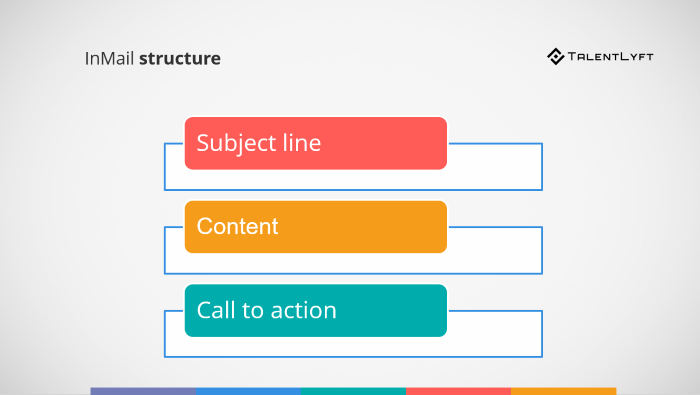
Here is the structure of a great LinkedIn InMail message:
- Subject line
- Content
- Call to action (CTA).
1. Subject line
The first thing you need to do is to craft a great subject line for your InMail message.
Talent gets a ton of recruiters’ messages daily, so yours need to stand out among the many.
Candidates’ first impression of you and your company will be based on your subject line, so you don’t want to come off as boring.
Avoid million times seen, boring subject lines such as:
- We’re hiring!
- Looking for [role]
- Career opportunity with [company]
You need a catchy subject line that will grab candidates’ attention an entice them to read your InMail message and actually consider working for your company.
You can always turn to standard examples that work:
- [mutual connection] recommended I get in touch
- Loved your [article, blog, paper, talk, work on, etc.] on [certain topic]
Don’t be afraid to think out of the box. Experiment with more creative subject lines to see if they work.
You can try out a few creative examples such as:
- We’ve done our research…and we want you!
- From the world's greatest employer
- Award-winning startup seeking the best of the best
- 10 things you didn't know about [company]
- 5 reasons why you should move forward with [company] as your new employer
- Working at [company] will change your career because…
2. Content
What should you write in your first message to an interesting prospect that seems like a great candidate for your open job position?
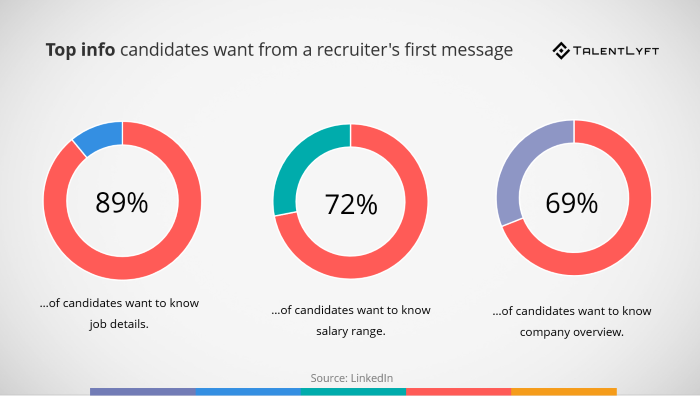
According to LinkedIn research, candidates want job details, salary range, and a company overview in a recruiter’s first message.
Give them all the info they want, but make sure you also explain other relevant aspects of your Employee Value Proposition .
Clearly state why they would be a great fit for your company and how they can benefit from working at your company.
3. Call to action (CTA)
Many recruiters write great InMail messages, yet never receive answers from candidates.
This is because they fail to include a clear “Call to action” at the end of their message.
“ Call to action ” is the term marketers use for the part of the message that urges the reader to take an immediate action.
Stop for a moment and think – What do you want candidates to do after they read your InMail?
Make it perfectly clear what you want them to do next. Explain what exactly should they do.
We suggest you don’t ask too much from candidates, especially in your first message.
You can say something like:
- Looking forward to your response.
- What do you think?
Aim to get a response and establish a connection before you make further requests form candidates (such as for a quick call, interview, etc.)
How to optimizeyour LinkedIn InMail?
1. Personalize
Avoid sending bulk template messages to many candidates.
Although it might seem like an effective way to save your time, but it will make a bad impression of your company and seriously hurt your Employer Brand and your recruiting efforts.
Instead, personalize each and every of your InMails.
Research shows that sending a single, personalized InMail (as opposed to sending bulk messages to many candidates) will increase your response rate by 30%.
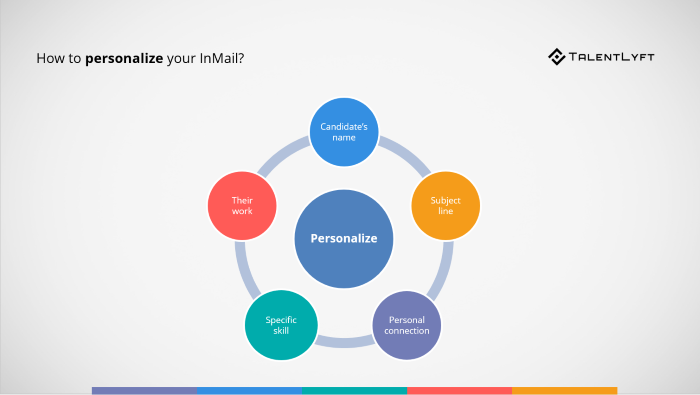
Here is how you can personalize your InMail:
- Use candidate's name
- Personalize the subject line
- Call out a personal connection (Mention a mutual acquaintance)
- Refer to candidate's specific skills / experience / education / qualification
- Mention candidate's work (product launch / talk at conference / blog or article / research /etc.)
The key to personalization is a good research.
Luckily, you can find a lot of interesting and relevant information on your potential candidates’ LinkedIn profile.
Review your candidate’s profile and study their posts.
It is also a good idea to check out your candidate’s company's updates to gain a deeper understanding of the competitor you are up against.
2. Connect
Your main goal should be to build a long-term relationship with your potential candidates.
Even if they aren’t available or interested in your current job opening, they might be eager to hear about some of your future job positions.
This is why it is important to really connect with your potential candidates.
The best way to do that is to find some common ground.
Think about it – what do you have in common with your potential candidate?
- Did you go to the same university?
- Did you work for the same employer?
- Do you share an interest or a hobby?
- Do you have a mutual acquaintance?
- Did you attend the same conference/workshops/seminar?
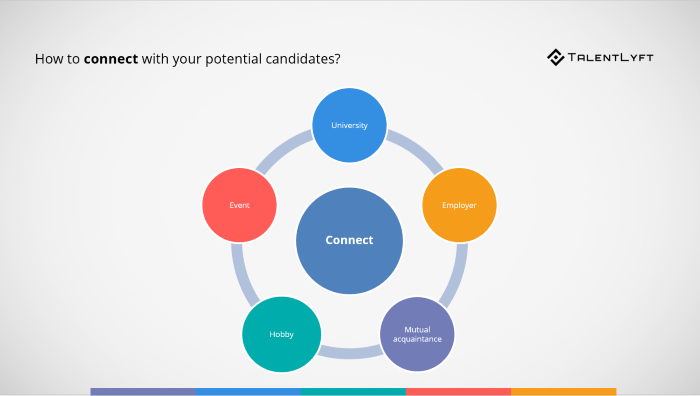
Mentioning something you have in common will make an instant bond that will serve as a great foundation for deepening the conversation and building a more meaningful relationship.
3. Focus on candidates
You InMail should be focused on your candidates’ needs, not your own.
Make it about them: Rather than talking about the open position you need to fill, discuss how this particular job position could be beneficial for them.
Explain what is in it for them:
- Competitive salary?
- Desirable benefits?
- Career progression?
- Great company culture?
- Interesting projects?
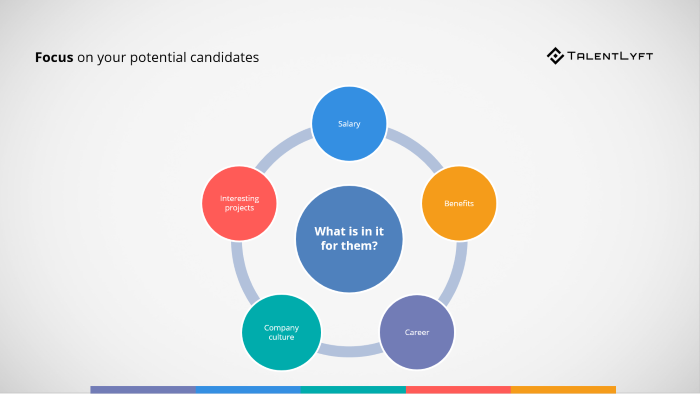
Candidates will want to hear how you might be able to help their career progression, boost their income or improve their reputation.
Make it clear how your role can help them achieve their goals (and dreams!).
4. KISS
The basic rule for writing an InMails that works could be summarized in the so-called KISS abbreviation – Keep it short & sweet.
But what does “short” mean?
According to LinkedIn’s research, you should aim for the maximum of 200 words.
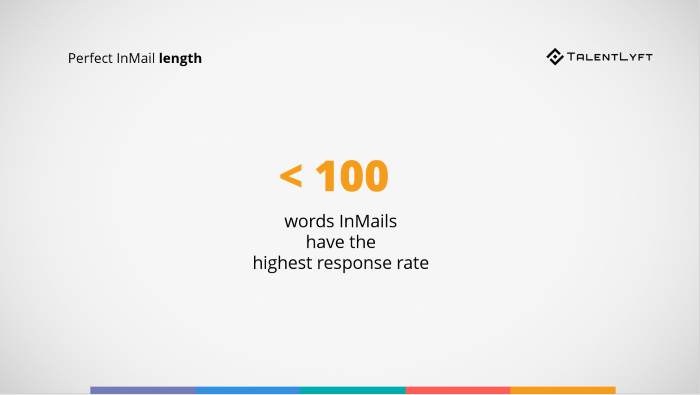
LinkedIn’s data shows that InMails over 200 words get fewer responses, while ones under 100 words actually get the highest response rates.
Remember, overwhelming candidates with a lot of unnecessary information and a too complicated recruiting process is one of the main causes of a bad candidate experience.
5. Think outside the box
Successful recruiters aren’t afraid to think outside the box.
They know they have to use innovative recruiting strategies to differentiate their company from competitors and attract talent.
Maybe you won’t go as far as to write Chuck Norris jokes and poems for your candidates, but feel free to use humor, try something new and experiment!
Applicant Tracking, Recruitment Marketing, Sourcing and Talent CRM software are powerful alone, but unstoppable when used together!


